
Build a chatbot from your website, one good answer at a time
Start with a question your shop answered yesterday. Follow it from a public page into the chat, then see what happens when the next question needs a person.

“Can you cut the shelf to 75 cm before pickup?” At our example timber shop, the answer is buried halfway down a service page. A visitor on a phone may never find it. That single question makes a better first test for an assistant than asking it to introduce itself.
Give the assistant a source you would send to a customer
Enter your website URL as a knowledge source in QuatroChat. Choose the whole site or an individual page. The crawler discovers accessible public pages and makes their content searchable. Once processing finishes, open the list of loaded pages and look for the timber-cutting service. A failed or blocked page needs attention. You can supply its approved text or an FAQ when the page cannot be read.
You do not need to design a conversation tree for every phrasing. At question time the assistant looks up relevant passages. A visitor can open the source when the answer cites a public page. Uploaded files and internal notes can inform an answer without giving the visitor a public download link.
Try a question that fits and one that nearly fits
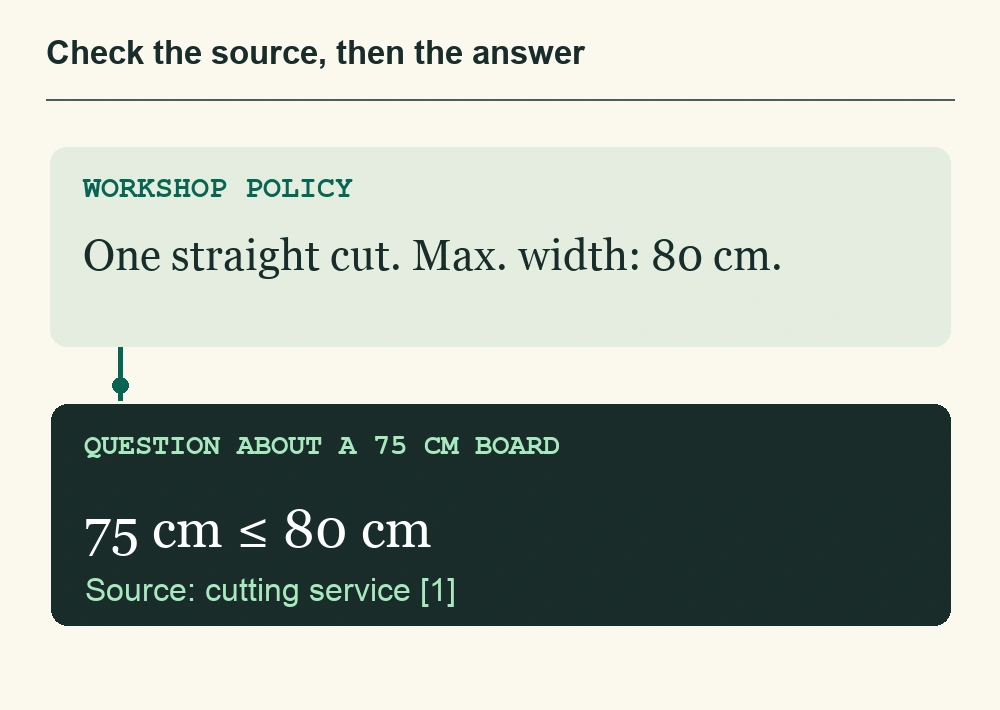
Give the sample shop this published policy: “At collection, we can make one straight cut on boards up to 80 cm wide.” Ask about a board 75 cm wide, then about a board 90 cm wide. A useful reply preserves the boundary. It must also distinguish the width of the board from the length you want it cut to. With the original ambiguous question, asking for the board width is part of good service.
| Visitor asks | What to check |
|---|---|
| “My board is 75 cm wide. Can you make one straight cut?” | The answer agrees with the 80 cm limit and links to the service page. |
| “It is 90 cm wide. Can you make an exception?” | The reply preserves the stated limit. A colleague can consider an exception. |
| “I need it at ten tomorrow. Can you promise that?” | The assistant has no live workshop schedule. In Hybrid mode an unresolved request can go to the team. |
Install the widget and leave room for judgement
On WordPress or WooCommerce, install the free QuatroChat plugin and click Connect — no code needed. On other sites, paste the widget snippet into your site template or have the person who maintains the site insert it once. Open a public page on your phone and send the same question. In the shared inbox, take over that conversation. The next colleague should be able to see the measurements, the earlier answer and what still needs a decision. After helping, the operator can return the thread to the assistant.
For a first release, a small, reliable set of sources is enough. Later you can exclude a stale page, add a short FAQ or switch between Automatic, Hybrid and Only people. When the workshop changes its limit, edit the original page, refresh the source and repeat the two width checks. That is a maintainable routine for the person who already owns the policy.
Once the facts are right, tune the parts customers notice. A workshop might choose a businesslike tone, set its usual language and add an instruction to ask for board width before discussing cuts. These settings are optional. A precise source fixes an outdated limit more reliably than a longer instruction.