
tawk.to alternative with AI: free live chat compared
Both tools keep live chat free. The difference is in the AI, the price of extras and what happens after closing time. A side-by-side comparison with prices.
tawk.to has made free live chat a standard: millions of websites use it, and the chat costs nothing as long as the “Powered by tawk.to” label stays. So if you are looking for a tawk.to alternative, “free” is not the deciding argument — both tools offer it. The real questions are: who answers when your team is offline, how good are those answers, and what do the extras cost?
tawk.to vs QuatroChat at a glance
| Feature | tawk.to | QuatroChat |
|---|---|---|
| Live chat | Free, unlimited agents | Free, unlimited team members |
| AI answers | AI Assist add-on from $29 a month; free plan for low chat volume | 100 AI answers free once, then €19 a month for 1,000 |
| Answer sources | Your knowledge base and help articles | Your website pages, files and FAQ, with a link to the source |
| Branding | Removable for $29 a month | A small “Powered by” link on all plans |
| Tickets and knowledge base | Yes, free | No tickets; knowledge base for the AI |
| Product suggestions | No | From your Google Shopping feed |
| Hired agents | $1 an hour | No |
| Hosting | Not EU-specific | Hosted in the EU |
Prices as listed on the providers’ websites on 16 November 2026, excluding VAT. Plans change often — check the current page before you decide.
What you already like about tawk.to
Before switching, write down why you started looking. A team that has used tawk.to for years knows its inbox, shortcuts and mobile app. Switching costs staff time even when the new tool is free. Good reasons to move are specific: “our visitors can’t find out after 6 pm which models we repair”, “the AI answers too vaguely”, or “we need product suggestions in the chat”.
AI: an add-on or the core of the product
In tawk.to, AI Assist is an add-on to a live chat product. It starts at $29 a month, with a free plan for sites with limited chat volume. It answers from the knowledge base you build in tawk.to.
In QuatroChat, the AI assistant is the core. You enter your website address, and it reads your public pages; you can add price lists or terms as files and short FAQ entries. Every answer links to the page it used. If something on the site is wrong, you fix the page and refresh the source — one place to maintain instead of two.
What happens after closing time
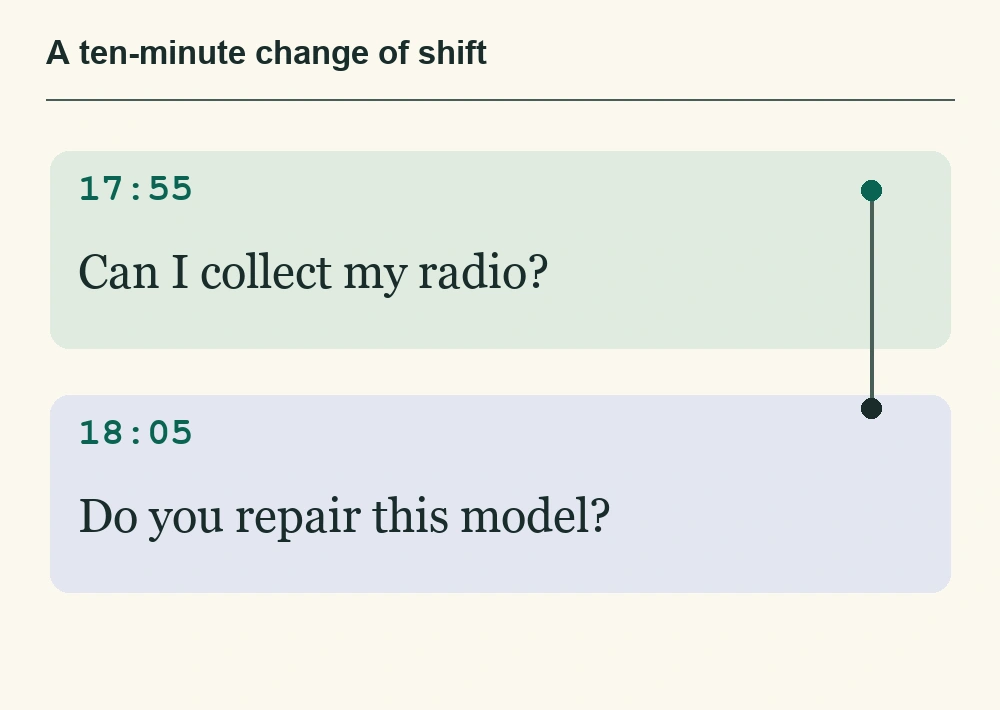
This is where the difference shows. At 18:05, a visitor asks whether you repair a certain model. With live chat only, the question waits until morning — or the visitor leaves. With an assistant that answers from your service page, the visitor gets the answer right away. If the question needs a person, they leave their email, and your team replies from the inbox the next day.
Pricing in practice
A site with 300 chats a month, where the AI should answer about 500 questions:
tawk.to: live chat free, AI Assist from $29 a month, depending on the AI plan; another $29 if the branding should go.
QuatroChat: live chat free, 500 AI answers within the €19 plan with 1,000 answers.
If you only want human live chat, tawk.to costs nothing — and so does QuatroChat in the mode Only people.
Answer quality: what to check
A cheap AI is expensive if it answers wrongly. Whatever tool you choose, judge it on real questions, not on the demo. Three things separate a useful assistant from a risky one:
It keeps conditions. “We repair e-bikes from Brand A and Brand B” must not become “we repair e-bikes”.
It admits gaps. If the price of a repair is not on your site, the assistant should say so and offer a person, not guess a number.
It shows where the answer comes from. A source link lets both you and the customer check the answer.
QuatroChat is built around these rules. The assistant answers only from your sources, keeps the answer to two or three sentences and adds a link to the page it used. When the sources do not contain the answer, it says so and offers to pass the chat to your team.
Switching in about 20 minutes
Create a free QuatroChat account and enter your website address.
Open the test chat and ask the five questions you get most often. Fix any page that leads to a vague answer.
Choose the mode: Hybrid is a good start — the AI answers routine questions and passes everything else to your team.
Remove the tawk.to code or plugin, then add the QuatroChat snippet or install the WordPress plugin. Never run two chats on one page.
Invite your colleagues to the panel. Team members are free.
Chat histories from tawk.to stay in your tawk.to account; export them first if you need them for your records.
Privacy
QuatroChat is hosted in the EU and stores chats there. The assistant reads only your public pages and the files you upload. If your business serves customers in Germany or Austria, mention the chat in your privacy policy whatever tool you use, and keep the data processing agreement on file.
When tawk.to is the better choice
You need free tickets and a public help centre in the same tool.
You want to hire chat agents by the hour.
Your team is happy with the current setup, and the AI is not a priority.
When QuatroChat is the better choice
Visitors ask questions outside your working hours, and your website already has the answers.
You want every AI answer to link to its source, so customers can check it.
You run an online shop and want product suggestions with real prices and stock.
You use WordPress: the free plugin connects in one click.
A one-shift test
Choose one public service page with one model you repair and one you refer to a specialist.
Ask both questions in everyday words, once during a staffed shift and once after closing.
Open the source link and compare it with the exact model name on the page.
Ask about the status of an individual repair and check what your colleague sees.
FAQ
Is QuatroChat free like tawk.to?
The live chat and the shared inbox are free, with no limit on team members. AI answers use credits: 100 free after email verification, then €19 a month for 1,000 answers before VAT.
Can I use QuatroChat only as a live chat?
Yes. Choose the mode Only people, and the chat works like a classic live chat without any AI costs.
Does QuatroChat have a mobile app?
The team answers in the browser panel, which works on phones too. Notifications about new chats arrive in the browser and by email.
Can I keep my tawk.to knowledge base?
If your help articles are public pages, QuatroChat can read them from their address. Otherwise, add the content as files or FAQ entries.
Does QuatroChat show its own branding?
Yes, a small “Powered by” link under the message field, on all plans. It does not cover the chat, and it stays on in every plan.
What if the AI cannot answer?
It says that the information is not on your site and offers a person. If nobody is online, the visitor leaves an email address, and your team replies from the inbox.
Source: tawk.to, pricing and add-ons pages.